 Blobbo
Blobbo is the small jellyfish that floats in the corner of the dashboard. It answers questions about your server, links to the right page and, from 1.4.2-beta, wears seasonal outfits and costumes.
Beta feature
Blobbo costumes and the expanded Q&A ship on the 1.4.2-beta line. Behaviour may still change before the stable release.
Open Blobbo
- Tap Blobbo, or press Shift+A anywhere.
- Look for the Ask Blobbo button beside the heading on each page. Ask Blobbo to explain the page you are on.
- Show or hide Blobbo under Settings → General.
- With reduced motion turned on, Blobbo stays still and shows a small badge instead of animating.
Ask about your server
Type a question or tap a topic chip. Answers come from your own server data and always link to the full page.
| Topic | Example questions |
|---|---|
| Live activity | Who is watching? How busy was today? |
| Libraries | How much space do my libraries take up? What is new? |
| Find a title | find Dune, do I have The Expanse? |
| People | Who watches most? Who has been offline? |
| Health | Is everything healthy? Are downloads stuck? Am I up to date? |
| Digests and picks | What changed since yesterday? Weekend digest, what is trending, something similar to my taste |
| Troubleshooting | Why is this buffering? Why did a download fail? How are scheduled tasks doing? Has a new device joined? Does remote access look right? |
| Housekeeping | Duplicate films, empty series, storage per library pie, transcode heat map |
- Title results come with Open in… buttons for JellyGlance or Jellyfin.
- After each answer Blobbo offers follow-up questions. Your last five questions stay in this browser, and More topics lists everything Blobbo knows.
- Blobbo's mood follows server health. A worried Blobbo means a check needs a look.
- Blobbo waves when playback starts on an idle server and glances over when another stream joins. Reactions have a short cool-down.
Options
Under Blobbo → Options you can turn on kids-safe answers, have answers read aloud, choose a look and toggle Dress up for the season. New installs get a short guided tour, an optional setup quiz and a tip of the day at sign-in.
Costumes and seasonal looks
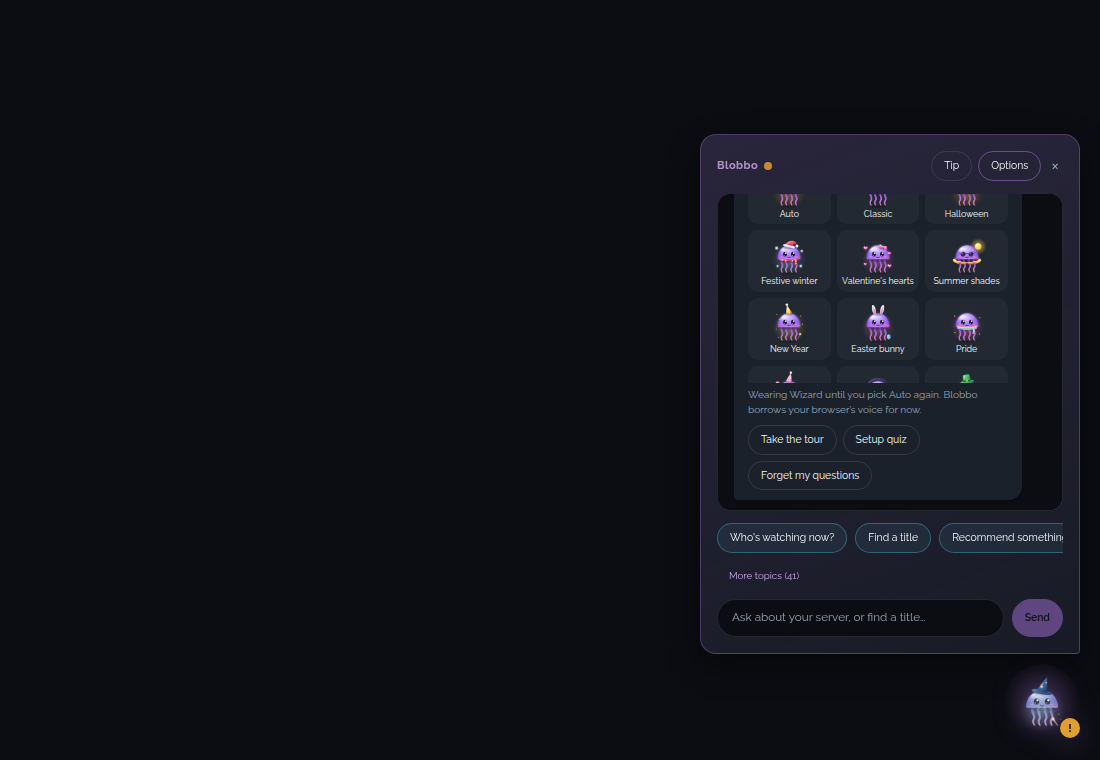
Blobbo has 20 looks. Each keeps the same soft bouncy idle animation.
| Group | Looks |
|---|---|
| Seasonal | Classic (base), Halloween, Festive winter, Valentine's hearts, Summer shades |
| Costumes | New Year, Easter, Pride, Birthday, Gaming, St Patrick's, Harvest, Cozy night, Chef, Space, Music, Bookworm, Sports, Wizard, Movie night |
There is no Rainy look. The old emoji season badge is gone now that Blobbo wears the real outfit. With reduced motion on, each look shows a still image; wave and glance reactions work as before.

Pick a look
- Open Blobbo → Options. The thumbnail grid shows Auto and all 20 looks.
- Tap a look. It stays on until you change it.
The same choice is available as a dropdown under Settings → General → Blobbo look.

Auto by calendar
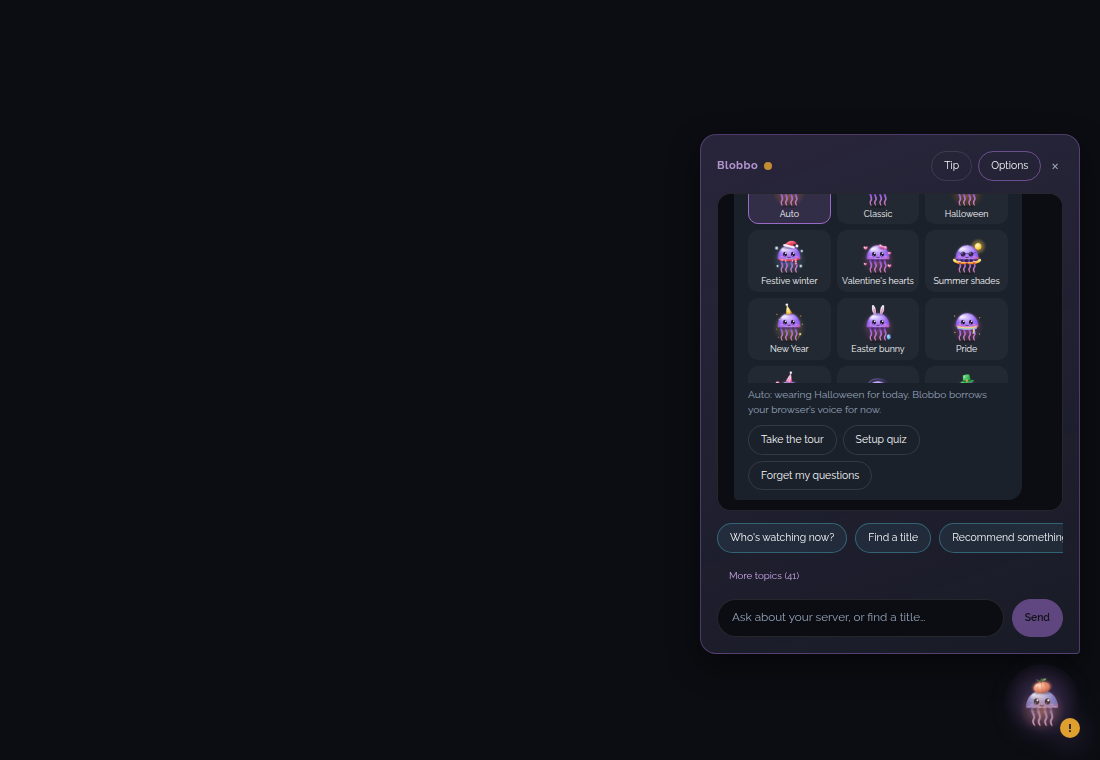
Choose Auto to clear the pick and let Blobbo dress for the date. Rules are checked top to bottom and the first match wins.
| Look | When |
|---|---|
| New Year | 31 Dec – 1 Jan |
| Festive winter | 1–30 Dec |
| Cozy night | 2–31 Jan |
| Valentine's hearts | 7–14 Feb |
| St Patrick's | 15–17 Mar |
| Easter | Palm Sunday – Easter Monday (calculated each year) |
| Pride | 24–30 Jun |
| Summer shades | Jun – Aug |
| Harvest | 22 Sep – 19 Oct |
| Halloween | 20–31 Oct |
| Classic | Any other day |
Birthday, Gaming, Chef, Space, Music, Bookworm, Sports, Wizard and Movie night are pick-only. Auto never selects them.
Turning off Dress up for the season keeps Auto on Classic all year.
Stored per browser
The choice is saved in browser local storage under jellyglance.blobbo.prefs as the look field. Auto stores look: null. Another browser or device keeps its own choice, and clearing site data resets it to Auto.